> For the complete documentation index, see [llms.txt](https://docs.apica.io/llms.txt). Markdown versions of documentation pages are available by appending `.md` to page URLs; this page is available as [Markdown](https://docs.apica.io/data-management/overview-1/visualizations/counter.md).
# Counter
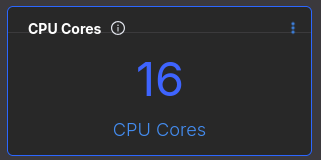
A Counter displays a single numeric value as a large, prominent number. Use it for KPI tiles like totals, capacity, or current usage.
A Counter displays a single numeric value as a large, prominent number. Use it to show current totals, capacity, or key metrics at a glance.
It’s ideal for:
* CPU cores
* Active users
* Total requests
* Memory size
* Node count
* License usage
Example Counter tile
### Configure a Counter
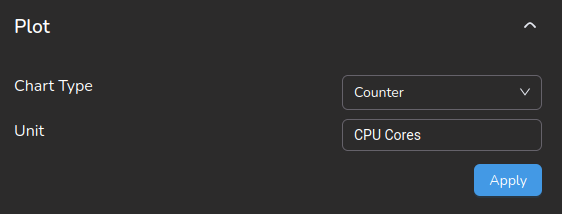
Set **Chart type** to **Counter**. Set **Unit** to the label shown under the number.
Counter configuration
### Counter configuration options
Use these options to control how the Counter renders.
| Option | Purpose |
| ---------- | ------------------------------------- |
| Chart type | Must be **Counter**. |
| Unit | Display label shown under the number. |
Common **Unit** values:
* `CPU Cores`
* `GB`
* `Requests`
* `Users`
* `Errors`
* `%`
{% hint style="info" %}
Key rules:
* Counter uses one numeric value.
* Unit is display-only.
* No grouping or time axis.
* Built for dashboard KPIs.
{% endhint %}
### How the Counter value is chosen
The Counter displays the latest or aggregated value from your query result.
If the query returns multiple rows, the system uses:
* The latest time value, or
* An aggregated value (depends on the query)
### When to use a Counter
Use Counter when you want:
* One key number
* At-a-glance KPI display
* Capacity metrics
It’s perfect for CPU cores, total memory, active sessions, and running pods.