> For the complete documentation index, see [llms.txt](https://docs.apica.io/llms.txt). Markdown versions of documentation pages are available by appending `.md` to page URLs; this page is available as [Markdown](https://docs.apica.io/data-management/overview-1/visualizations/size.md).
# Size
A Size chart displays a single numeric value formatted into human-readable units. Use it for data volume, storage, and large numbers.
A Size chart displays a single numeric value that represents a quantity, capacity, or data volume. It automatically formats values into human-readable units.
It’s designed to show values like:
* Data volume (GB, TB, PB)
* Storage capacity
* Byte counts
* Large numbers (millions, billions)
### What a Size chart represents
The Size tile shows:
`scaled value + unit`
The chart automatically converts raw values into the most readable unit.
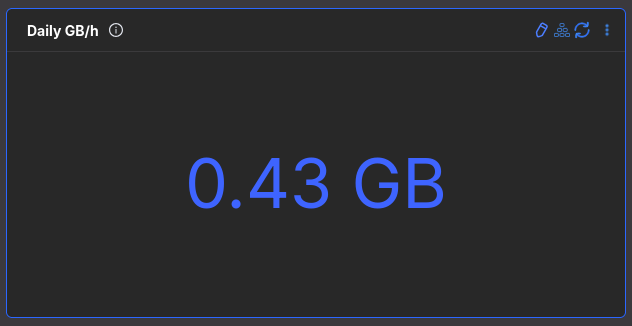
Example Size tile
### Configure a Size chart
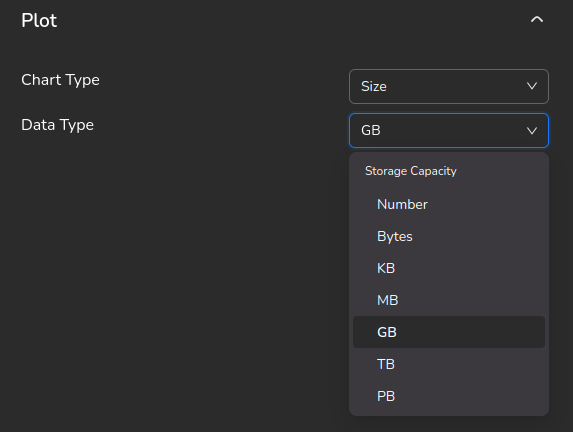
Set **Chart type** to **Size**. Set **Data type** to match the unit of your raw metric.
Size configuration
### Size configuration options
| Option | Purpose |
| ---------- | ---------------------------------------------------------- |
| Chart type | Must be **Size**. |
| Data type | Tells the system how to interpret and scale the raw value. |
#### Data type
This defines what kind of number your metric represents. It controls how the system scales and formats the value.
Available types:
* Storage capacity
* Number
* Bytes
* KB
* MB
* GB
* TB
* PB
{% hint style="info" %}
Key rules:
* Size uses one numeric value.
* Data type must match the raw metric unit.
* The system auto-converts:
* Bytes → KB → MB → GB → TB → PB
* Numbers → K → M → B
* No manual unit math required.
{% endhint %}
### When to use Size
Use Size when your metric represents:
* Data volume
* Storage
* Throughput
* Any large numeric quantity
It’s perfect for daily GB ingested, log volume, disk usage, traffic size, and usage metrics.