> For the complete documentation index, see [llms.txt](https://docs.apica.io/llms.txt). Markdown versions of documentation pages are available by appending `.md` to page URLs; this page is available as [Markdown](https://docs.apica.io/flow/list-of-forwarders/arc-sight.md).
# ArcSight
ArcSight is a security management tool designed to track and analyze data insights and it ensures compliance with policy guidelines. It provides organizations with the real-time security information that can be used to detect and respond to threats quickly and effectively.
Apica helps you to forward logs to the arc sight using the forwarder plugin.
### Supported Forwarding Formats
Apica enables users to quickly and easily forward logs in various formats to security tools, simplifying processing and analysis. The supported formats are,
* Syslog CEF
* ArcSight CEF
### Steps to Create Arc Sight Forwarding
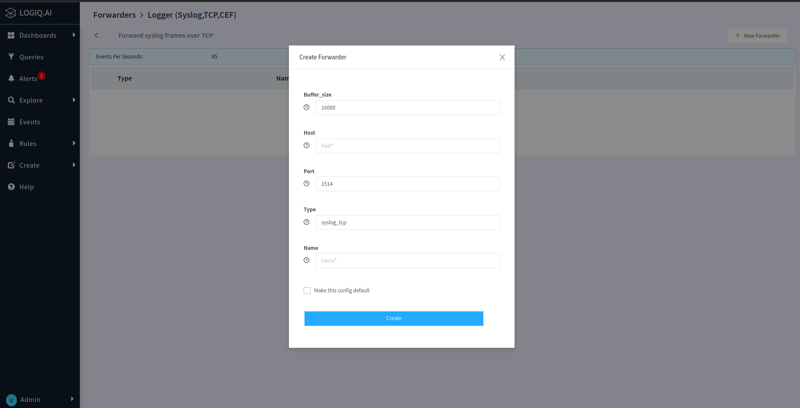
* Expand the `Create` menu from the navigation bar and click `Forwarder`
* Select the `ArcSight` based on the type of format you want to use
* Click `New Forwarder` button at the top right corner
* Provide the host of the ArcSight and the name of the forwarder
* Click `Create`
Once the forwarder is associated with a specific namespace/application or with various log attributes, the logs that match these criteria will be sent to ArcSight for further analysis.