> For the complete documentation index, see [llms.txt](https://docs.apica.io/llms.txt). Markdown versions of documentation pages are available by appending `.md` to page URLs; this page is available as [Markdown](https://docs.apica.io/flow/list-of-forwarders/aws-kinesis.md).
# AWS Kinesis
AWS Kinesis is the AWS managed service for doing real time stream processing
### Pre-Requisites
* Access Key and Secret Key of the IAM role which has access to aws kinesis
* Stream should be available for receiving messages in aws kinesis
### Steps to Create AWS Kinesis Forwarding
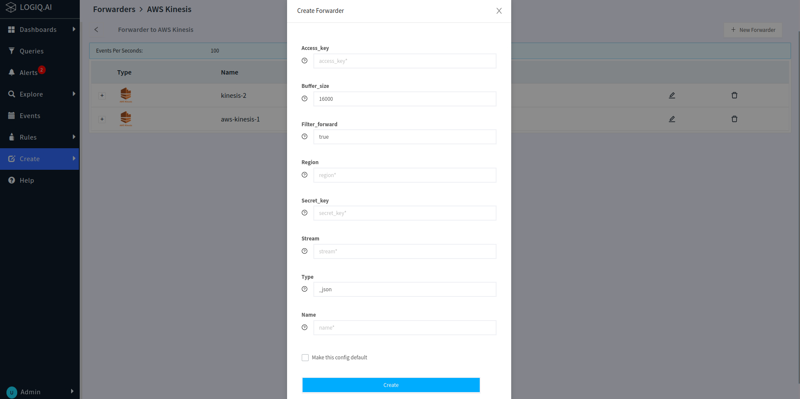
* Navigate to `Create Forwarder` page
* Select AWS Kinesis forwarder
* Click `Create Forwarder`
* Provide the name for forwarder
* Provide access key, secret key, and stream name
* Click `Create` button
Whenever the data is getting ingested and its attributes are mapped to AWS kinesis, then that data will be forwarded to the kinesis stream. All types of machine data are supported: logs, metrics, events, alerts, and traces.