> For the complete documentation index, see [llms.txt](https://docs.apica.io/llms.txt). Markdown versions of documentation pages are available by appending `.md` to page URLs; this page is available as [Markdown](https://docs.apica.io/flow/list-of-forwarders/rsa-new-witness.md).
# RSA New Witness
RSA New Witness is a powerful security tool developed by RSA Security that helps organizations detect and respond to threats from within their network. It provides advanced analytics, such as machine learning, to quickly identify malicious activity and alert users of potential issues.
Apica helps you to forward logs to the RSA New Witness using the forwarder plugin.
### Supported Forwarding Formats
Apica enables users to quickly and easily forward logs in various formats to security tools, simplifying processing and analysis. The supported formats are,
* Syslog
* Syslog CEF
### Steps to Create Arc Sight Forwarding
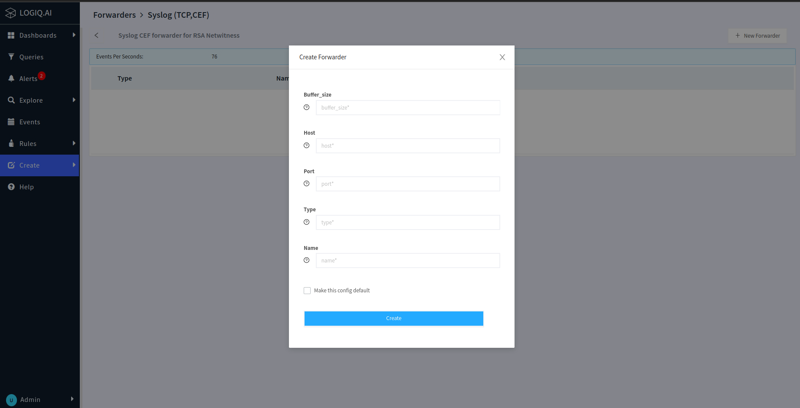
* Expand the `Create` menu from the navigation bar and click `Forwarder`
* Select the `RSA New Witness` based on the type of format you want to use
* Click `New Forwarder` button in the top right corner
* Provide the host of the New Witness and the name of the forwarder
* Click `Create`
Once the forwarder is associated with a specific namespace/application or with various log attributes, the logs that match these criteria will be sent to RSA New Witness for further analysis.