> For the complete documentation index, see [llms.txt](https://docs.apica.io/llms.txt). Markdown versions of documentation pages are available by appending `.md` to page URLs; this page is available as [Markdown](https://docs.apica.io/platform-docs/test-data-orchestrator-tdo/user-documentation/api-guide/data-movement-apis/download-data-files/comma-delimited-with-sequence-numbers-download.md).
# Comma Delimited with Sequence Numbers Download
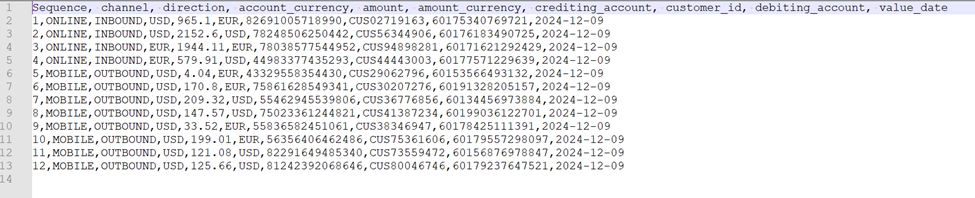
This file is output as a .txt format file. To obtain a this file, the API version is changed to 1.2. This format is used by some automation tools.
This can be run directly from your automation tool or from a browser window.
The file download, if run from a browser tab, will be available via your browser download manager.
Once the download is complete, use download manager to view the output in a text editor.