> For the complete documentation index, see [llms.txt](https://docs.apica.io/llms.txt). Markdown versions of documentation pages are available by appending `.md` to page URLs; this page is available as [Markdown](https://docs.apica.io/platform-docs/test-data-orchestrator-tdo/user-documentation/api-guide/data-movement-apis/download-data-files/csv-download.md).
# CSV Download
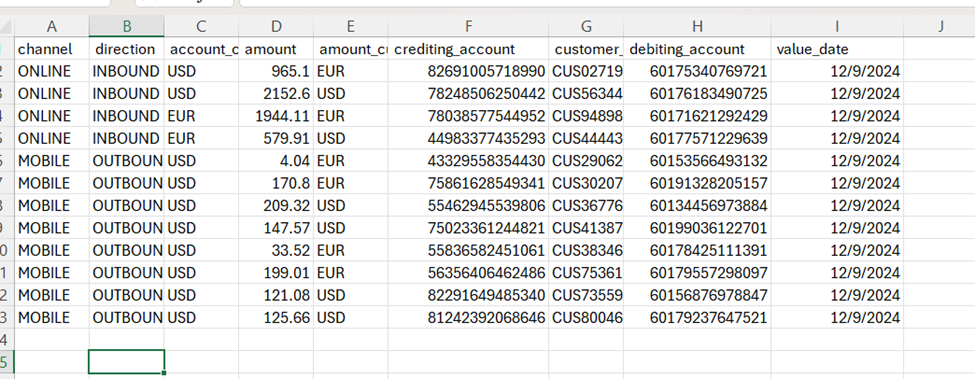
To request the same file as a csv, you simply change the API version to 1.1.
This can be run directly from your automation tool or from a browser window.
[http://99.99.99.99:8080/core/1.1/API/project/mug\_test\_project/1.0/datablocks/request\_7\_step/1.1/](http://99.99.99.99:8080/core/1.2/API/project/mug_test_project/1.0/datablocks/request_7_step/1.1/)
When run in a browser tab, the browser download manager will show when the file is available.
Download manager shows file is available
The file can be accessed and opened via the download manager.