> For the complete documentation index, see [llms.txt](https://docs.apica.io/llms.txt). Markdown versions of documentation pages are available by appending `.md` to page URLs; this page is available as [Markdown](https://docs.apica.io/fleet-management/fleet-config-repository/adding-an-agent-type.md).
# Adding an Agent Type
New *Agent Types* can be added to the Apica Fleet through a Git Repository. For Apica Fleet Management to work, it is necessary that the agent's process can be controlled by the Apica Fleet's Agent Manager. The agent manager is a sidecar process, which allows the Fleet Control Plane to control the runtime of different agents. Agents Manager can also relay health and configuration changes to the Fleet Control Plane.
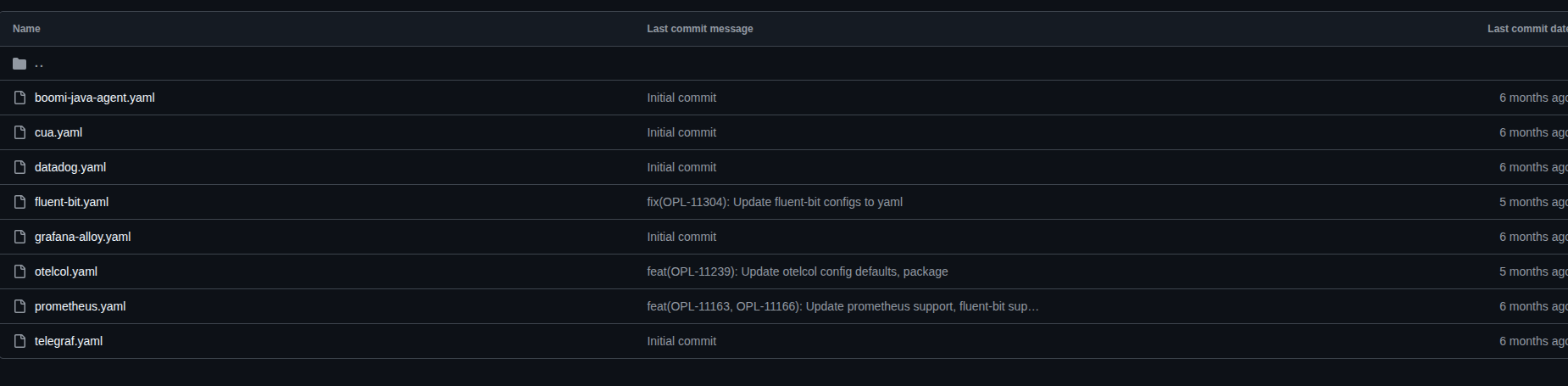
The *Agent Type* configurations are placed within the *agent\_types* directory*. A* YAML file is used for each agent type to specify its configuration.
The following is an example YAML file for the Prometheus agent.
```
agent_type_id: prometheus
description: Prometheus
icon: PHN2ZyB3aWR0aD0iMzIwIiBoZWlnaHQ9IjMyMCIgdmlld0JveD0iMCAwIDMyMCAzMjAiIGZpbGw9Im5vbmUiIHhtbG5zPSJodHRwOi8vd3d3LnczLm9yZy8yMDAwL3N2ZyI+DQo8cGF0aCBkPSJNMTYwIDMwMEMxMzQuOTQgMzAwIDExNC42MSAyODMuMjYgMTE0LjYxIDI2Mi42MUgyMDUuMzhDMjA1LjM5IDI4My4yNSAxODUuMDcgMzAwIDE2MCAzMDBaIiBmaWxsPSJibGFjayIvPg0KPHBhdGggZD0iTTIzNC45NiAyNTAuMjNIODUuMDNWMjIzLjA0SDIzNC45N1YyNTAuMjNIMjM0Ljk2WiIgZmlsbD0iYmxhY2siLz4NCjxwYXRoIGQ9Ik0yMzQuNDMgMjA5SDg1LjQ1OTlDODQuOTU5OSAyMDguNDMgODQuNDU5OSAyMDcuODcgODMuOTc5OSAyMDcuMjlDNzMuOTM3MSAxOTYuMjI1IDY2LjI4NDMgMTgzLjIwNyA2MS40OTk5IDE2OS4wNUM2MS40Mzk5IDE2OC43MiA4MC4xMDk5IDE3Mi44NiA5My4zNDk5IDE3NS44NEM5My4zNDk5IDE3NS44NCAxMDAuMTYgMTc3LjQyIDExMC4xMiAxNzkuMjNDMTAwLjQ3MSAxNjguMTE3IDk1LjA3MTkgMTUzLjk0NiA5NC44Nzk5IDEzOS4yM0M5NC44Nzk5IDEwNy4yMyAxMTkuNCA3OS4zMSAxMTAuNTYgNTYuNzNDMTE5LjE3IDU3LjQzIDEyOC4zOCA3NC45IDEyOSAxMDIuMjJDMTM3LjcyOCA4Ny4wNDUzIDE0Mi4yMTggNjkuODA0MiAxNDIgNTIuM0MxNDIgMzcuNjMgMTUxLjY2IDIwLjYgMTYxLjMzIDIwLjAxQzE1Mi43MSAzNC4yMSAxNjMuNTYgNDYuMzkgMTczLjIxIDc2LjU5QzE3Ni44MyA4Ny45MyAxNzYuMzcgMTA3LjAzIDE3OS4xNiAxMTkuMTNDMTgwLjA5IDkzLjk4IDE4NC40MSA1Ny4yOSAyMDAuMzYgNDQuNjNDMTkzLjM2IDYwLjYzIDIwMS4zNiA4MC41NCAyMDYuOTMgOTAuMTRDMjE2LjYxNyAxMDQuNzY3IDIyMS42MTMgMTIyIDIyMS4yNSAxMzkuNTRDMjIxLjE5OSAxNTQuMTQ1IDIxNS45NjkgMTY4LjI1OSAyMDYuNDkgMTc5LjM3QzIxNy4wMiAxNzcuMzcgMjI0LjMgMTc1LjYxIDIyNC4zIDE3NS42MUwyNTguNTEgMTY4Ljk0QzI1My44NjkgMTg0LjA1NiAyNDUuNjAyIDE5Ny44MDkgMjM0LjQzIDIwOVoiIGZpbGw9ImJsYWNrIi8+DQo8L3N2Zz4NCg==
manager_defaults:
linux:
agent:
agent_type: prometheus
args:
- --config.file=/etc/prometheus/prometheus.yml
auth_token_file: /etc/agent-manager/agent-manager-prometheus.tok
default_config_assignments:
- prometheus/linux/default/etc/prometheus/prometheus.yml
default_package_assignments:
- prometheus/linux/prometheus_3.0.1_linux_amd64.zip
executable: /opt/prometheus/bin/prometheus
instance_id_file: /etc/agent-manager/agent-manager-prometheus.id
platform: linux
version_command: --version
auto_update: true
package_dir: /opt/apica/var/agent-manager/packages
windows:
agent:
agent_type: prometheus
args:
- --config.file=C:\apica\prometheus\prometheus.yml
auth_token_file: C:\apica\agent-manager-prometheus.tok
default_config_assignments:
- prometheus/windows/default/apica/prometheus/prometheus.yml
default_package_assignments:
- prometheus/windows/prometheus_3.0.1_windows_amd64.zip
executable: C:\apica\prometheus\prometheus.exe
instance_id_file: C:\apica\agent-manager-prometheus.id
platform: windows
version_command: --version
auto_update: true
package_dir: C:\apica\packages
```
| Field | Type | Description |
| ------------------ | ---------------------------- | -------------------------------------------------------- |
| `agent_type_id` | `string` | Unique identifier for the agent type. |
| `description` | `string` | This field is used as a Name for the agent\_type. |
| `icon` | `string` | Base64 encoding of the svg icon |
| `manager_defaults` | `map[string]ManagerDefaults` | Default configurations per platform (linux and windows). |
The following are the details for the *manager\_defaults* within the platform(linux/windows) field:
| Field | Type | Description |
| ------------- | ----------------- | --------------------------------------------- |
| `config_file` | `string` | Path to the agent’s configuration file. |
| `package_dir` | `string` | Directory where agent-manager is stored. |
| `auto_update` | `bool` | Whether the agent-manager should auto-update. |
| `agent` | `ManagerAgent` \* | Detailed agent configuration. |
The following are the details for the *agent* field:
| Field | Type | Description |
| ----------------------------- | ---------- | -------------------------------------------------------- |
| `agent_type` | `string` | Same as agent\_tyep\_id |
| `platform` | `string` | Target platform. |
| `executable` | `string` | Path to the agent binary. |
| `args` | `[]string` | Command-line arguments passed to the agent. |
| `instance_id_file` | `string` | File path where the instance ID is stored. |
| `auth_token_file` | `string` | File path for the agent’s authentication token. |
| `version_command` | `string` | Command to retrieve the agent version. |
| `default_package_assignments` | `[]string` | List of default packages assigned to the agent. |
| `default_config_assignments` | `[]string` | List of default configuration assignments for the agent. |